83 Jean St, Grange QLD 4051
Mon-Fri 07:30 AM - 04:00 PM - Sat - 8:00 - 12 - Sunday Closed
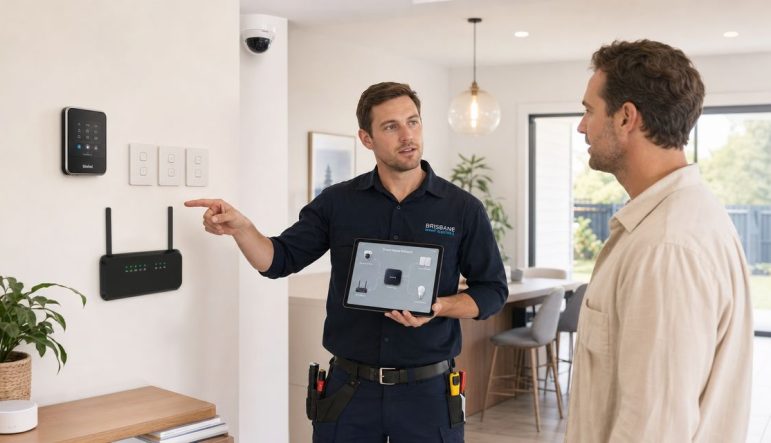
A lot of Brisbane homeowners start smart home automation installation the same way. One smart speaker in the kitchen. A video doorbell at the front gate. A few smart bulbs from a weekend sale. Then a second app, a third login, patchy Wi‑Fi in the back bedroom, and routines that work only when they feel like it.
That's usually the point where the question changes. It stops being “Which gadget should I buy next?” and becomes “How do I make this whole house work properly?”
The answer usually has very little to do with the gadget itself. A reliable smart home depends on two foundations: electrical capacity and network stability. If either one is weak, the result is familiar. Cameras drop out. Smart switches go offline. Locks lag. Firmware updates fail. Scenes trigger late or not at all.
That matters more now because smart home systems aren't sitting on the fringe anymore. Australia's smart home market is projected to reach US$5.4 billion by 2029, according to Australia smart home market projections. In Brisbane homes, that shows up as more integrated lighting, security, climate control, and appliance automation being folded into mainstream electrical work.
The polished version of a smart home is simple. You open the front door, the hallway lights come on, the air conditioning adjusts, and the house settles into “home” mode without you touching three different apps.
The messy version is more common in houses that have grown into automation by accident. One brand handles lighting. Another handles cameras. The garage door has its own app. The smart speaker can see some devices but not others. A family member turns off a wall switch and suddenly the “smart” light isn't smart anymore.
That gap between expectation and reality is why proper smart home automation installation starts before any device is mounted.
In established suburbs, the issue often isn't enthusiasm. It's infrastructure. Plenty of homes can support a few plug-in devices, but integrated systems ask more from the house. They need dependable Wi‑Fi, sensible circuit planning, and in many cases, electrical work that matches the way the home is used.
A kitchen renovation is a good example. Homeowners often focus on the appliances first, which makes sense. If you're already upgrading your kitchen with smart appliances, it's worth thinking beyond the appliance features and looking at power supply, switching, connectivity, and how those products fit into the wider home system.
Practical rule: A smart home doesn't become reliable because the devices are expensive. It becomes reliable because the house is ready for them.
The homes that work well don't usually have the most devices. They have the most organised systems. That means deciding what the house should do as a whole, then building the electrical and network layers to support that outcome.
For a Brisbane homeowner, that may mean:
Professional planning changes the result. Instead of collecting products, you end up with a system that's wired, configured, and tested to operate as one home.
The first proper conversation isn't about brands. It's about behaviour. What do you want to happen when you leave the house, arrive home, go to bed, or wake up? Once that's clear, the rest of the plan gets sharper.
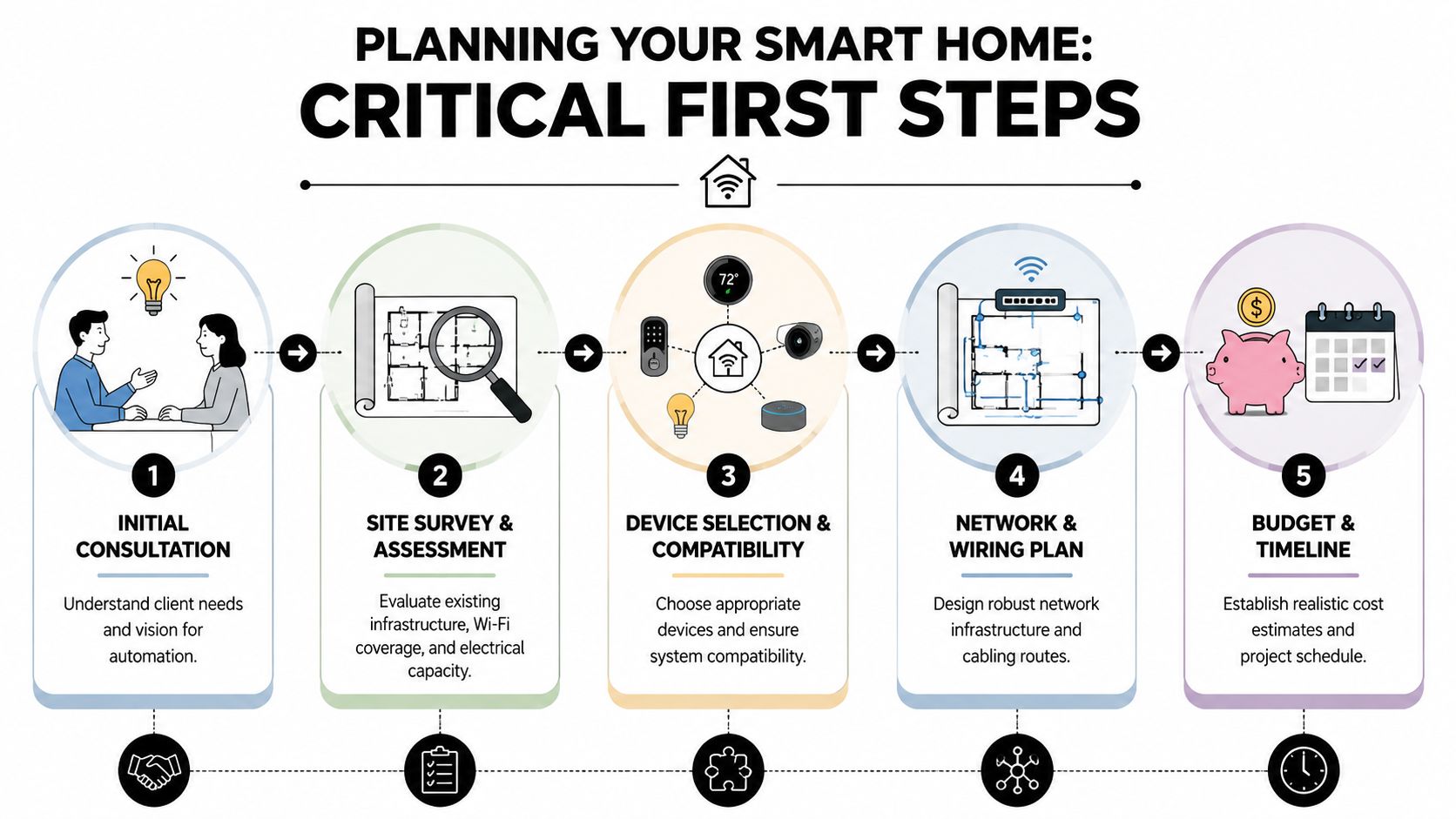
A good plan usually begins with a shortlist of outcomes. Not “I want smart devices.” More like:
Entry and exit control
Front door lighting, lock status, garage status, and an away mode that's easy to trigger.
Night-time convenience
Low-level path lighting, bedroom comfort settings, and reduced glare in living spaces.
Security visibility
Clear alerts, stable camera access, and straightforward control from one interface where possible.
Energy management
Scheduled lighting, climate control, and sensible automation that doesn't fight the way you actually live.
That approach stops people from overbuying. It also exposes the rooms that matter most. A theatre room, rear patio, home office, and front entry all place different demands on the system.
This is the step generic guides skip, and it's the one that causes the most frustration later.
Guidance referenced through the NBN Co approach to in-home connectivity emphasises using wired Ethernet for fixed devices where possible, placing access points centrally and away from interference, and mapping Wi‑Fi coverage room by room before deployment, as outlined in this smart home connectivity planning guide. In practice, that means you test the actual rooms where cameras, hubs, locks, thermostats, and controllers will live before installation starts.
Weak signal is often blamed on the device because that's the visible part of the system. In the field, the weak link is frequently the network.
A practical planning survey should include:
A stable automation system is usually boring during testing. No lag, no guessing, no random dropouts. That's the standard you want before devices go live.
Most smart home problems get harder as mixed ecosystems multiply. If a homeowner wants app simplicity, voice control, and clear troubleshooting later, the plan should nominate a core ecosystem early and then check compatibility before purchase.
That doesn't mean every product must be from one manufacturer. It means the system needs one clear control strategy. Lighting, security, entry, and scenes should make sense together.
For anyone looking closely at security as part of the wider setup, this guide to home security system installation in Brisbane is useful because security devices often become the first serious test of whether the home network and automation plan are ready.
The least glamorous part of smart home automation installation is usually the most important. It's the part behind the wall, inside the switchboard, and above the ceiling. It doesn't look exciting in an app screenshot, but it determines whether the finished system is dependable or temperamental.
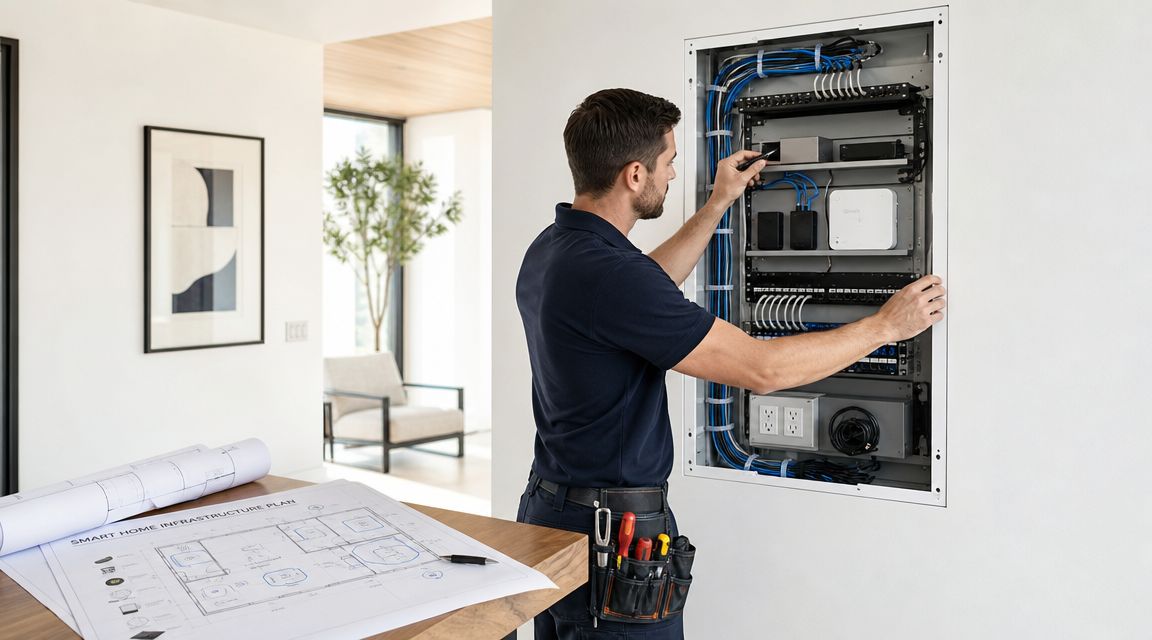
Many online tutorials assume a house already has modern wiring, strong whole-home Wi‑Fi, and spare electrical capacity. That's not always the case in Brisbane. Older Australian homes often need a pre-install assessment of switchboard capacity and circuit condition, and the most common cause of a failed project is infrastructure that can't support the new technology without upgrades, as discussed in this overview of home automation installation challenges.
In retrofit work, a few checks matter more than any device shopping list.
If those basics aren't addressed, the installation becomes a workaround project. Workarounds are what turn straightforward automation into a chain of little failures.
Plug-in and battery devices have their place. They're flexible, fast to deploy, and useful for selective upgrades. But they aren't the same as a properly integrated electrical installation.
Hardwired equipment generally makes more sense when you want:
That's one reason lighting deserves extra attention. A homeowner might start with smart bulbs, then realise they want grouped controls, dimming logic, two-way switching consistency, and a cleaner daily user experience. At that stage, the conversation shifts from gadgets to system design. Practical guidance on a smart lighting system then becomes relevant, because lighting is often the first automation layer that reveals whether the house has been planned properly.
If a home needs electrical upgrades before automation, that isn't a setback. It's the job revealing the real scope early, before money gets wasted on unreliable gear.
A short walkthrough of infrastructure setup helps make that visible:
Homeowners sometimes hesitate at preparatory work because it doesn't feel like progress in the same way a new keypad, camera, or app dashboard does.
But this is the work that protects the whole investment. A tidy switchboard, correctly planned circuits, sensible cabling routes, and a realistic network design make every later stage easier. Installation is cleaner. Fault finding is faster. Expansion later is simpler. The home ends up safer and easier to live with.
Installation day should feel methodical, not chaotic. If trades are guessing, pairing devices at random, or adding hardware before the underlying structure is ready, the project usually turns into troubleshooting instead of commissioning.
In Queensland, that matters for a legal reason as well as a practical one. Any work involving mains wiring or hardwired alarms requires a licensed electrician, and a sound workflow commissions one device class at a time so pairing or integration faults are caught early, as outlined in this home automation setup guide.
A disciplined smart home automation installation usually follows a sequence.
The hub, controller, or central ecosystem is established before accessories are layered on top. That gives the system a stable base for naming, grouping, permissions, and automation rules.
Lighting tends to expose both wiring and logic issues quickly. If dimmers, switches, scenes, or two-way arrangements aren't behaving properly, it's better to solve that before cameras, locks, or climate routines are introduced.
Once the control layer and lighting are stable, security devices and climate integration can be added with a much clearer view of system behaviour.
Commission one class properly before moving to the next. That's how you stop one pairing fault from turning into a whole-house fault hunt.
Commissioning means every installed element is checked in the conditions where it will be used.
That includes:
A useful outside perspective on choosing qualified help is this 2026 guide to smart home installers. It's a good reminder that integration skill matters just as much as device familiarity.
| Aspect | DIY Approach | Professional Installation (DLG Electrical) |
|---|---|---|
| Electrical work | Limited to plug-in or basic user-installed products | Licensed handling of mains wiring and hardwired components |
| Workflow | Often device-by-device in purchase order | Staged commissioning by system class |
| Network preparation | Commonly based on assumption | Room-by-room checks and planning before rollout |
| Fault finding | Trial and error through apps and resets | Structured testing of wiring, pairing, and integration |
| Compliance | Easy to overlook with retrofit work | Electrical safety requirements considered from the start |
| Final user experience | Can feel patched together | Built for consistent daily use and clearer control |
A system isn't finished when the last device appears online. It's finished when the homeowner knows how to use it confidently.
That means clean naming, sensible app layout, realistic scenes, and instructions that match daily life. If “movie night” requires six hidden conditions and a reboot after a power glitch, it isn't ready.
The honest answer to “What will my smart home cost?” is that the scope drives the answer. Not every project is a full-home fitout, and not every home needs the same prep work before automation can begin.
The main cost drivers usually sit in a few clear buckets.
Some factors are visible from day one. Others only show up after inspection.
The cheapest proposal isn't always the least expensive outcome. If important groundwork is ignored, the homeowner often pays later through call-backs, replacements, and piecemeal fixes.
Homeowners often underestimate how much timeline depends on access, house condition, and the need for preparatory work.
A straightforward installation in a well-prepared home moves very differently from a retrofit where the switchboard, cabling path, and Wi‑Fi layout all need attention first. Renovation timing also matters. Automation work is simpler when it's planned alongside kitchens, extensions, lighting redesigns, or security upgrades rather than added after finishes are complete.
A realistic sequence usually includes:
The most future-proof system usually isn't the one with the most hardware on day one. It's the one with clean infrastructure, spare capacity where sensible, and a control strategy that can expand without becoming confusing.
That means thinking ahead about:
A good installation leaves room to grow. It doesn't force a complete rethink every time the homeowner wants to add another layer.
Automation systems aren't static. Apps change. Devices get replaced. Family routines evolve.
That's why support matters. Not because a system should be fragile, but because any worthwhile home setup should be maintainable. A homeowner should know who to call if they want to add a gate controller later, rework lighting scenes after a renovation, or adjust how the home behaves as the household changes.
The single most useful part of a smart home isn't the hub, the lock, the camera, or the app. It's the person who knows how the house should be wired, tested, staged, and handed over safely.
That's especially true in Queensland homes where the line between “smart device setup” and electrical work is not something to guess at. Once the project touches mains wiring, hardwired alarms, switching changes, or switchboard work, safety and compliance stop being background issues.
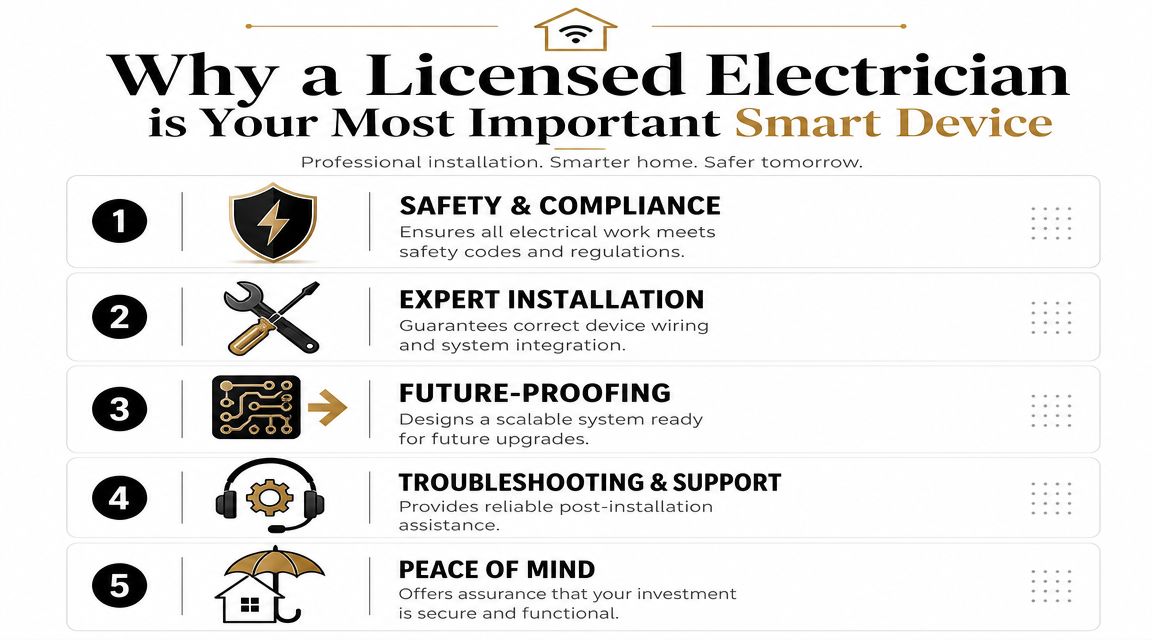
A good installer doesn't just connect devices. They assess whether the house itself is ready, what needs to be separated, what should be hardwired, what should stay low-voltage, and how to avoid creating a nest of hidden faults.
That means practical decisions such as:
For homeowners comparing quotes, invoices, or scopes, it also helps to understand what you're being charged for. This guide on spotting errors on electrical bills is useful because unclear line items and vague descriptions can hide omissions just as easily as overcharges.
A handyman might mount a few devices. A keen DIY owner might get part of the system online. That can work for isolated plug-in products.
It usually falls apart when the home needs coordinated switching, hardwired alarms, circuit alterations, switchboard changes, or integrated scenes across multiple device classes. Then the “saving” often reappears as rework, compatibility headaches, wall damage, or a final call to a licensed electrician to sort out what should have been planned from the start.
The real test of a smart home is not whether it can impress someone for five minutes. It's whether the house still works cleanly and safely every day.
A licensed electrician working in automation should be able to speak about more than devices. They should understand switchboards, circuits, smoke alarm obligations, network layout, manual switching behaviour, and staged commissioning.
If you want a broader sense of that role, this article on what an electrician does gives useful context. In modern homes, that role increasingly includes being the link between traditional electrical systems and connected living.
Used properly, DLG Electrical handles the electrical side of residential upgrades including switchboards, smoke alarms, security installations, and related wiring work that often sits underneath a smart home project. That makes it relevant where automation overlaps with compliance and permanent electrical infrastructure.
The best smart home setups don't feel technical once they're finished. They feel normal. Lights respond properly. Security stays connected. Controls make sense. The house works the way the homeowner expected in the first place.
If you're planning smart home automation installation in Brisbane, start with the part that matters most. The house itself. DLG Electrical can provide a free quote for the electrical, compliance, and infrastructure side of your project so you can build a system that's safe, organised, and ready to work properly from day one.

Master Electrician with over 30 years of experience. Founded DLG Electrical in 2005 after international project work including electrical installations at Stamford Bridge Stadium, London(Home of Chelsea FC).

Local Electricians that can fix all Electric Hot water Systems.
Motion sensor lights are a versatile addition to any home, offering nu
