83 Jean St, Grange QLD 4051
Mon-Fri 07:30 AM - 04:00 PM - Sat - 8:00 - 12 - Sunday Closed
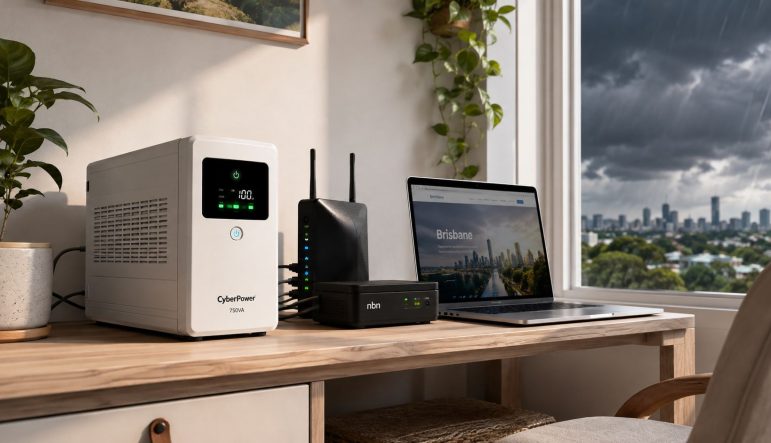
The average Australian customer experienced 325.9 minutes without supply in 2020–21, and 25% of unplanned outages were caused by asset failure, so a UPS is designed for the short interruptions that can drop your internet, alarm and work systems before a full blackout even arrives. In Brisbane, that can mean a flickering afternoon storm, a rebooting NBN box and a work call ending mid-sentence.
The lights come back almost immediately, but the damage to your routine has already happened. Your Wi-Fi takes time to reconnect, the alarm panel chirps, cameras disappear from the app and the desktop restarts with unsaved work still open. A properly selected uninterruptible power supply bridges that gap. It doesn't run an entire house indefinitely, and it won't replace a generator, but it can keep the equipment that matters most stable through a brief outage or give you time to shut down safely.
A summer cell moves across Brisbane, the sky darkens and the lights dip. The NBN connection box restarts, the router loses its session, the security panel beeps and the video call freezes while you're explaining something to a client. By the time the street power returns, the computer is back on, but the modem, cameras and alarm still need to recover.
That pattern matters more than the dramatic blackouts people usually picture. Australian reliability reporting for 2020–21 recorded 1.56 total interruptions and 325.9 total minutes off supply per average customer, while unplanned normalised interruptions fell to 0.96 and unplanned normalised minutes reached 105.0. The figures come from the Australian market context documented in Australia's uninterruptible power supply market data.
The same reporting found that 25% of unplanned outages in the 12 months to 30 June 2021 resulted from asset failure. Storms get the attention, but equipment faults, local network problems and brief disturbances can create the same practical headache at home. Around Brisbane, overhead suburban infrastructure, hot-weather demand and coastal exposure near Moreton Bay can make a momentary disturbance especially inconvenient for connected equipment.
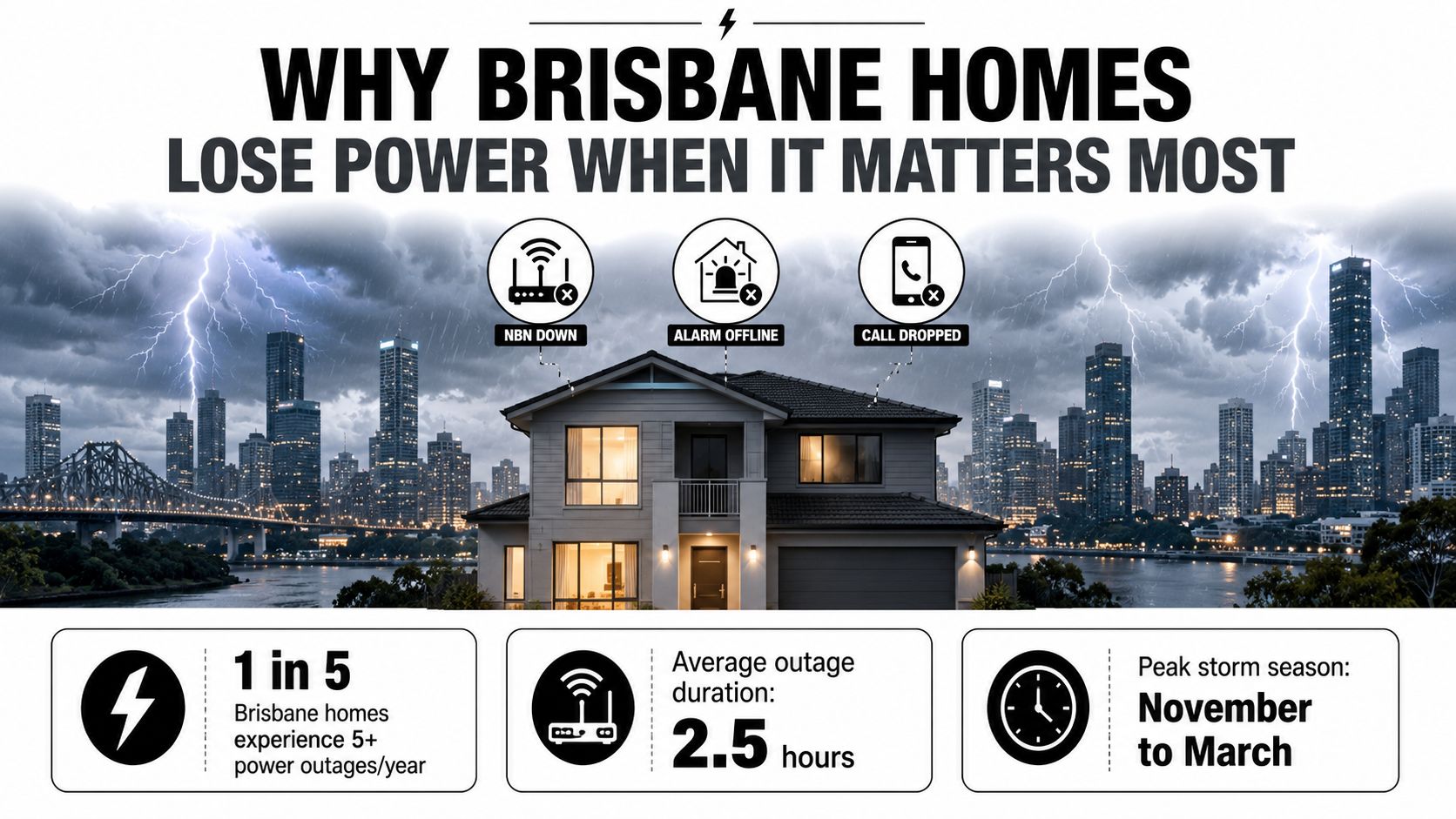
A television may turn off. Network and security equipment behaves differently. A modem or NBN termination device can take several minutes to reconnect, while a home office computer may lose an open document or corrupt a process during an abrupt shutdown.
A small UPS can protect:
That's why a UPS deserves to be treated as a continuity device, not merely a battery box for a desktop PC. Its strongest Brisbane use is often preserving communications and control systems during the small gaps that are easy to dismiss but disruptive enough to affect work, security and daily life.
During a short Brisbane outage, the NBN box, router, cameras and alarm can stop before anyone notices a fault at the switchboard. An uninterruptible power supply sits between the wall outlet and your equipment, monitoring incoming electricity and supplying backup power when the mains fails or moves outside an acceptable range. Depending on its design, it also filters disturbances and corrects voltage variation before battery power is required.
The system works like household water infrastructure. The grid is the mains pipe, the battery is a header tank, the inverter is the pump that turns stored energy into usable supply, and the transfer switch changes sources when pressure drops. A UPS cannot provide unlimited energy. It stores enough to keep selected loads running or shut them down properly.
A UPS combines several functions:
The sequence runs continuously. Under normal conditions, the UPS passes or conditions utility power while charging its battery. If the supply sags, fails or becomes unsuitable, the inverter supplies the protected equipment. Switching speed and conditioning depend on the UPS topology, so units with similar capacity ratings can respond differently.
For a Brisbane home, the connected load matters more than the label alone. A unit sized around an NBN box, router, cameras and alarm will behave differently from one also carrying a desktop computer, monitor and NAS. Keep high-draw appliances off the UPS unless the unit is designed and sized for them.
Voltage dips can occur during heavy air-conditioning demand, while restoration can produce a transient disturbance. A suitable UPS helps isolate communications, storage and security equipment from those events, but it cannot repair faulty wiring or keep every appliance operating.
For practical context on when a UPS makes sense with HighFlow, start with one question: which equipment must remain available, and which equipment can shut down?
UPS topology determines how much protection you receive before an outage and how the equipment responds when the mains changes. Price matters, but application fit matters more.
| UPS Type | Transfer Time | Voltage Conditioning | Typical Use Case in Brisbane | Relative Cost |
|---|---|---|---|---|
| Standby or offline | A brief transfer when mains fails | Limited | Basic NBN equipment, router or low-priority home electronics | Lowest |
| Line-interactive | A brief transfer, with regulation during smaller fluctuations | Automatic voltage regulation | Home offices, NAS units, network equipment, small-business systems | Moderate |
| Online double-conversion | No transfer interruption to the protected load | Continuous conditioning | Server rooms, medical equipment, security control rooms and sensitive systems | Highest |
A standby unit normally sends mains power directly to the connected equipment. It calls on the battery only when the supply fails, making it a straightforward and affordable option for a basic communications stack.
That simplicity has a limitation. It generally doesn't correct everyday voltage variation, so it suits equipment that can tolerate ordinary mains conditions. A router and NBN box may be appropriate, provided the unit's output and connectors match the load.
For most Brisbane homes, line-interactive is the practical middle ground. Automatic voltage regulation can correct moderate sags and surges without using the battery, preserving battery capacity for a genuine outage.
That makes it a better fit for a home office with networking equipment, a NAS, a small security system or a point-of-sale setup in a café. A Woolloongabba café, for example, may need to keep its POS controller and network hardware alive without attempting to run the coffee machine itself. The UPS should protect the control electronics, not become an unrealistic substitute for whole-site backup.
An online system continuously converts incoming AC to DC and then back to conditioned AC. The connected load always receives power from the inverter, so the system avoids a transfer event when the mains fails.
That protection suits a Morningside clinic, server room or security control environment where a brief disturbance isn't acceptable. It also brings trade-offs, including higher cost, greater heat output and more operational complexity. The rule is clear: choose standby for non-critical communications, line-interactive for most homes and small businesses, and online for sensitive or regulated equipment that cannot tolerate a transfer.
Start with the equipment you need to keep alive, not the biggest UPS advertised. A Brisbane communications stack may include an NBN network termination device, router, ONT where applicable, mesh node, alarm panel, PoE cameras and perhaps a NAS or work computer.
The loads below are planning estimates from the brief, not universal nameplate values. Check every device's label or power adaptor before buying.
| Device | Typical Draw (W) | Notes |
|---|---|---|
| NBN NTD | 12 | Confirm the actual adaptor rating |
| Wi-Fi router | 10 to 15 | Mesh systems may add further load |
| ONT | 8 to 10 | Include it if your service uses one |
| Security alarm panel | 10 to 15 | Exclude large external sirens unless specified |
| PoE camera | 5 to 10 each | Night vision and infrared can alter demand |
| NAS or home-office workstation | 80 to 200 | Actual draw varies with processor, storage and workload |
A communications-only stack of about 70 W could run for roughly two to three hours on a mid-sized UPS, but that result depends on battery capacity, inverter efficiency, battery age and the manufacturer's discharge curve. Runtime isn't calculated from the front-panel VA number alone.
Watts describe real power consumed by the equipment. VA describes apparent power, which also reflects the relationship between voltage and current. Power factor means a 1000 VA UPS may deliver only 600 to 700 W of usable real power, depending on the model.
Use the manufacturer's watt rating as the limiting figure, then allow room for starting currents and future devices. A sensible design leaves 25% to 30% headroom, rather than running the UPS at its limit. Printers, pumps, heaters and coffee machines generally don't belong on a small home UPS because their startup or continuous demand can overwhelm a unit intended for electronics.
For further practical guidance on home backup planning, power backup for home is a useful reference. Also check whether the NBN connection box, router and ONT need separate power adaptors, because protecting only the desktop won't keep the internet available.
Write down the devices that must remain operational. Measure their combined draw if possible, then decide whether the goal is continued operation or controlled shutdown. A communications stack may need enough runtime to preserve connectivity, while a workstation may only need enough time to save files and close applications.
That approach prevents a common mistake, buying a large unit for a single computer while leaving the network and security equipment unprotected.
A plug-in UPS still needs a sensible location. Put it close to the equipment it protects, on a stable surface with clear airflow, and away from ovens, hot-water equipment, direct sunlight and damp areas. A dedicated 10 A or 15 A GPO is appropriate for the unit, while hardwired systems require electrical design rather than an improvised connection.
Don't place the UPS beside the switchboard because the board is where power enters the home. The protected equipment usually sits elsewhere, and long extension leads or crowded power boards introduce their own problems. Never daisy-chain power boards or stack UPS units unless the manufacturer and electrical design specifically permit it.
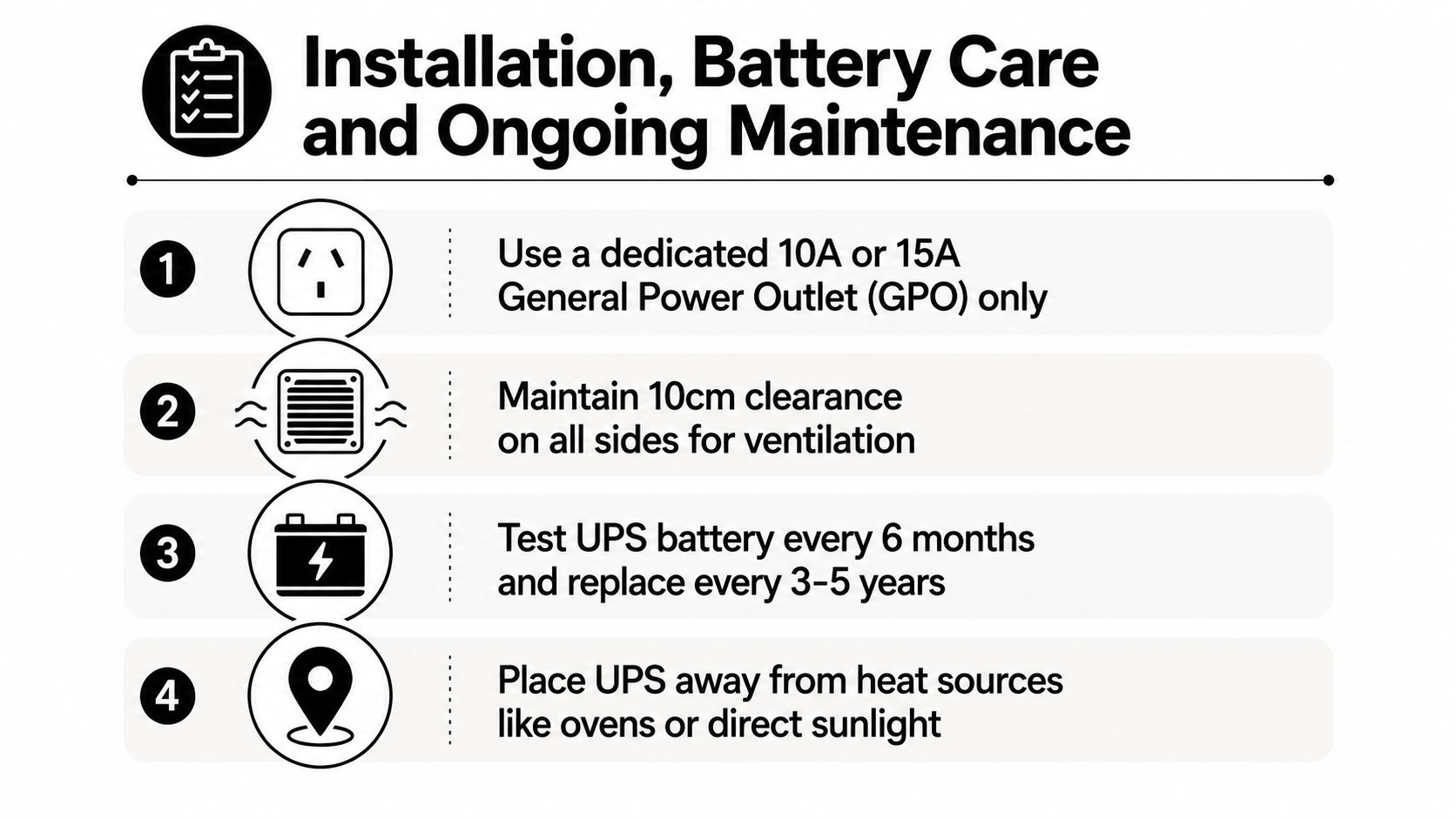
Use the built-in self-test as directed by the manufacturer. A manual discharge check every six months can reveal a battery that reports “charged” but collapses quickly under load. Test during a planned window, keep a copy of important work elsewhere and avoid deliberately flattening a battery without understanding the unit's instructions.
VRLA batteries commonly need replacement after three to five years, while lithium systems can remain serviceable for eight to ten years, depending on the chemistry, temperature and operating conditions. Treat those as planning ranges, not guarantees. Heat shortens battery life, and a Brisbane garage may be a poor location even when it appears convenient.
Lithium systems need additional care because thermal runaway can create a serious fire hazard. Don't modify battery packs, bypass protection systems or install a switchboard-integrated battery arrangement without a qualified contractor. When a battery reaches end of life, a specialist recycler can help you recover value from retired batteries.
For related battery planning, see how long solar batteries last. Any hardwired UPS or switchboard connection in Queensland must be installed by a licensed electrician, with RCD protection checked after commissioning.
A UPS isn't just a box with a battery and sockets. Australian installations need equipment selected against the relevant safety and performance requirements. AS 62040 covers UPS systems including movable, stationary, fixed and built-in equipment for low-voltage distribution, with an electrical scope up to 1,000 V AC or 1,500 V DC and an energy-storage device, as described by AS 62040 safety and performance requirements.
EMC matters as well. Public-sector specifications from Main Roads WA refer to AS/NZS 61000.6.1 for immunity and AS IEC 62040.2 and AS IEC 62040.3 for UPS EMC, performance and testing requirements. That combination reinforces a practical point: the unit must suit the environment and load, not just meet a headline capacity.
Surge protection deserves scrutiny too. Manufacturers express protection in terms such as joules and clamping voltage, but those figures don't tell the whole story. Ask what the UPS protects, whether it filters voltage variation, how it behaves with active power-factor-correction supplies and whether replacement batteries remain available.
| Criterion | What to Look For | Why It Matters |
|---|---|---|
| Runtime | A manufacturer runtime chart at your measured load | Advertised runtime can change sharply as load rises |
| Waveform | Pure sine wave where compatibility requires it | Sensitive or modern power supplies may not behave well with cheaper output types |
| Warranty | Separate terms for electronics and batteries | Batteries are consumables and may have different coverage |
| Noise and heat | Fan behaviour, ventilation and operating temperature | A noisy unit can be unsuitable near a bedroom or office |
| Compliance | AS 62040 and relevant EMC documentation | Supports safe selection and installation |
| Connection method | Plug-in, dedicated circuit or hardwired design | Determines whether an electrician is required |
A buying discussion should focus on these criteria rather than a single price. The Australian UPS category is forecast in one market study to rise from USD 275.43 million in 2024 to USD 402.88 million by 2032, implying a 5.0% CAGR over 2025–2032, while another study puts the Australia and New Zealand data-centre UPS market at USD 40.29 million in 2023, forecasting USD 254.11 million by 2032, with Australia representing about 75% in 2023. These published forecasts show a broader commercial shift toward resilience, but they don't tell you which unit belongs in your home. Your load, runtime target, output waveform and installation method do that.
Many buyers start with VA. That's understandable, but it can lead to an oversized system that keeps a desktop running while the NBN box, router and alarm remain dark. For a Brisbane home, the more useful question is what must stay on?
A small, correctly matched UPS protecting the communications stack can preserve internet access, security notifications and a controlled shutdown for the NAS. A much larger system dedicated to one workstation may offer impressive runtime but solve less of the household's actual outage problem. The right answer depends on the measured load and the required continuity, not the biggest number on the carton.
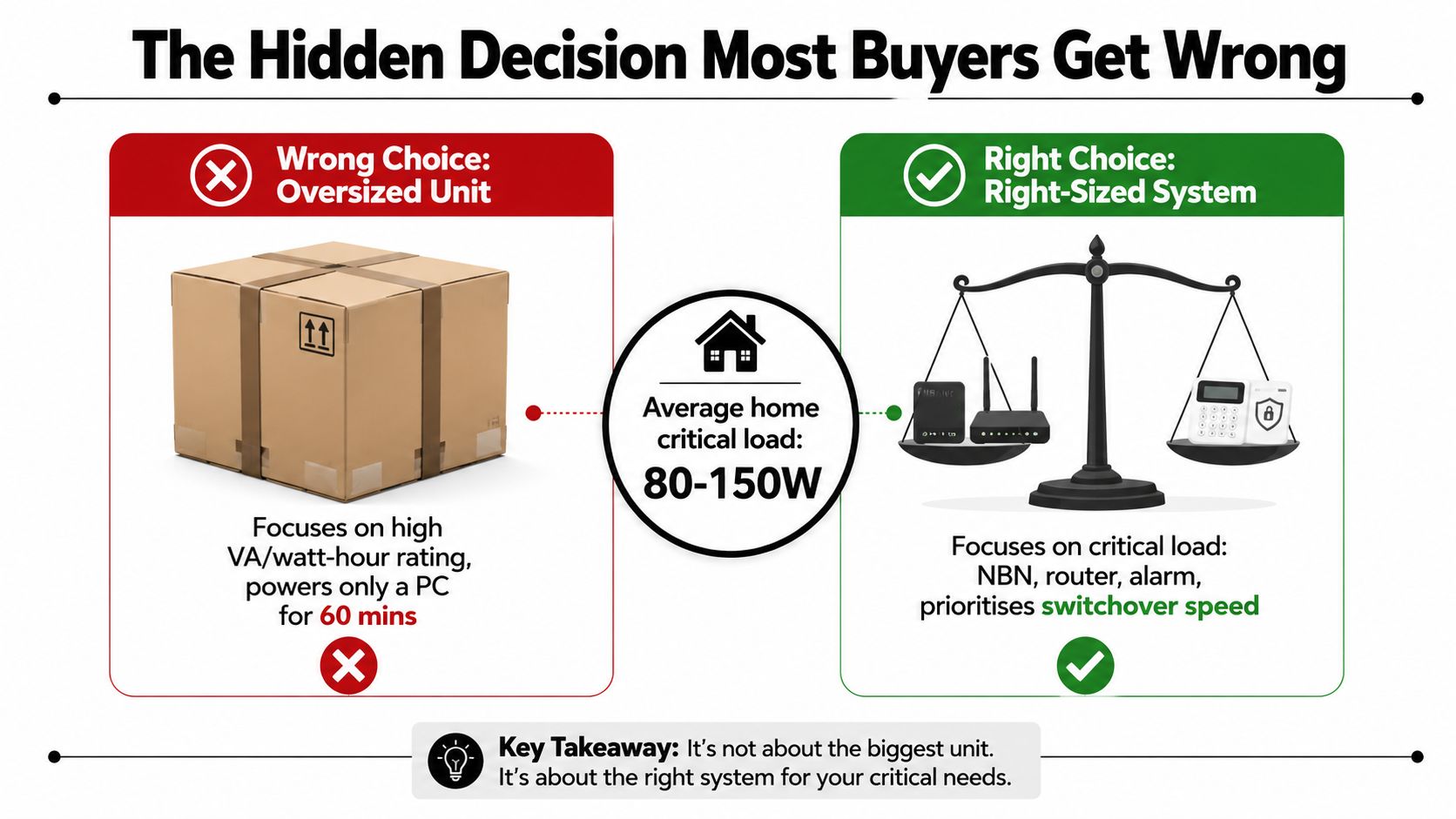
A larger battery bank generally brings more weight, heat and recharge demand. It may also need a different circuit, more ventilation and a more deliberate installation. Lithium chemistry can reduce physical size in some designs, but it introduces specific safety and compliance considerations rather than removing them.
Australian product coverage has highlighted momentum toward compact, pure-sine-wave and short-depth UPS models for residential, small-business and edge applications, including products aimed at the Australian market. That direction makes sense for homes where the protected load is networking, security and control equipment rather than high-powered appliances. A clean waveform can also be important for active PFC supplies, newer networking gear and sensitive security equipment.
Practical rule: Size the UPS around the devices that keep the household connected and secure, then add capacity only when the measured load and runtime target justify it.
A 600 to 1000 VA line-interactive unit may be suitable for a modest communications system, but the label alone isn't a recommendation. Measure the equipment, confirm the watt capacity and check the manufacturer's runtime curve. If the system must connect to a switchboard, involves lithium batteries or supports a critical business function, move beyond DIY selection and obtain an electrical design.
A plug-in UPS is manageable when it uses the correct GPO and protects nearby low-voltage equipment. Stop treating it as a DIY accessory when the installation needs a dedicated circuit, the switchboard has no spare ways or the system will be hardwired into the building.
Call a licensed contractor if you're backing up equipment at the draw point, integrating an alarm or NBN system into fixed wiring, or installing lithium storage with specific ventilation and isolation requirements. Heat also changes the decision. A unit near an oven, in direct sun or close to a habitable-room boundary needs a proper location assessment rather than a convenient shelf.
The installer should confirm load requirements, UPS topology, circuit protection, ventilation, battery access and post-installation RCD operation. Compliance with AS 62040 requirements is part of a safe system design, not a sticker to check after the work is finished.
For Brisbane homeowners, landlords and small businesses, Brisbane electrician services can help determine whether a plug-in unit is enough or whether the backup arrangement needs fixed electrical work.
DLG Electrical can assess your NBN, router, alarm, camera and home-office loads, then help size and install a UPS suited to your Brisbane property. Visit DLG Electrical to request a quote for practical UPS advice, compliant installation and electrical support from North Lakes through Brisbane's inner suburbs.

Master Electrician with over 30 years of experience. Founded DLG Electrical in 2005 after international project work including electrical installations at Stamford Bridge Stadium, London(Home of Chelsea FC).

Local Electricians that can fix all Electric Hot water Systems.
Motion sensor lights are a versatile addition to any home, offering nu
